⌨️ Ah :bufdo, that'll do!
A while ago I worked on a method to allow local writing of development logs in markdown, which I could then upload to Github where my supervisor could take a look. Here are the steps..
Background
For those unfamiliar, vim is a highly configurable text editor built to make creating and changing any kind of text very efficient. It's the improved version of vi, a text editor that comes standard on Unix systems. Vim is known for its modal editing system, where different modes (normal, insert, visual, etc.) allow for efficient text manipulation.
InstantMarkdownPreview is a vim plugin that provides real-time markdown preview in your browser as you edit. However, it uses a different image syntax from Github-flavoured Markdown, which necessitated the workflow described in this post.
The :bufdo command in vim is a powerful feature that executes a command across all buffers (open files). This allows you to perform bulk operations across multiple files simultaneously, making it perfect for find-and-replace operations across an entire project.
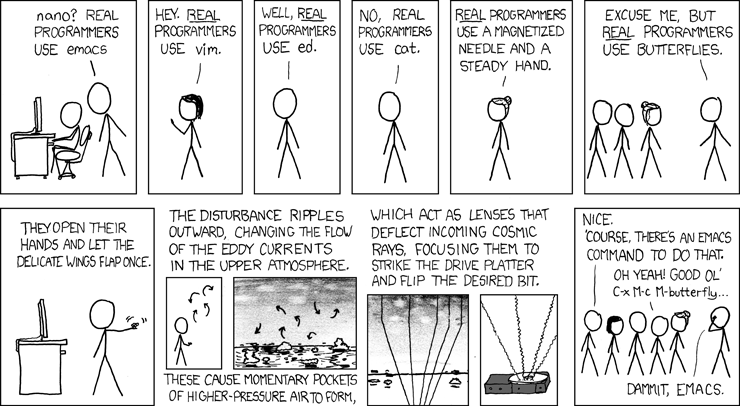
"Real programmers use vim.."
In true vim-fan-boy fashion, I write my development logs in vim and then like to have them render from within vim. To do this I use a plugin called InstantMarkdownPreview. However, the syntax used to render images using this plugin is different from the syntax generally required and used by Github. Therefore, a workaround has been developed such that I write the logs locally on a local branch, and then checkout to master and upon a git push some undercover wizardry works behind the scenes.
Considering there could be potentially 100's or markdown files at some point, whatever I do, I should future proof the method for when that day comes when I have many files to edit at once. Enter vim's :bufdo feature. Below is a brief overview on the workflow required to be able to achieve this.
First, one needs a workflow where we have one master branch which will be used to push Github markdown flavoured files to a remote repo, and local which will have InstantMarkdownPreview type of markdown files that can be viewed locally from within vim with the command :InstantMarkdownPreview
The InstantMarkdown file has the following syntax for displaying images:

However, Github, does not care for the "a/raw/b" that prepends the path of where the image is. So, one can have this is the pre-push file (found in .git/hooks/pre-push that combines the efforts of :bufdo and git hooks to achieve a seamlessly flow from local to Github markdown rendering.
pre-push looks like:
#!/bin/bash
vim -E -s *.md < cmds.vim && git commit -am "Changes made for Github rendering"
Where the contents of cmds.vim just contain the commands to be executed in vim
:bufdo %s/a\/raw\/b\///ge | update
Now this is all set up, one can do the following, create a local branch which be used write the development logs and to view them in vim
git co -b local
Then when the respective files have been written, which paths to images looking like so:

One cane save these files, git add and git commit them, and then go to master.
git co master
git merge local -X theirs
The git merge local -X theirs basically forces the merge even though we will have conflicts relating to the different syntax. A commit message will appear in vim asking to confirm the merge. Saving this, and then doing a git push now does the job! The new syntax that bufdo changes images to looks like the following:

Ready for Github :-)
Note on --no-verify: A git push --no-verify may be required if changes are made to the repo that don't involve the workflow described above. The --no-verify flag allows one to skip the git hook file pre-push.
Security Warning: Bypassing git hooks with --no-verify should be done sparingly and only when you understand the implications. Git hooks often enforce important quality checks, security scans, or policy requirements. When you do bypass them:
- Document why you're skipping the hooks
- Ensure you fix any issues that would have been caught
- Consider whether the urgency truly justifies bypassing checks
For more on git hooks and automated quality checks, see my post on Maintaining Code Quality with pre-commit.